

job offer should be the moment when the candidate clearly understands everything they’re going to receive. In practice, it’s often a PDF with a gross number and little context - followed by a series of questions.
That’s what the Job Offer feature is here to change. Instead of a static letter, you create an interactive offer that the candidate opens through a single link, explores in detail, and sees the real value of the package before deciding. Let’s look at what it is and how it works.
What is the Job Offer?
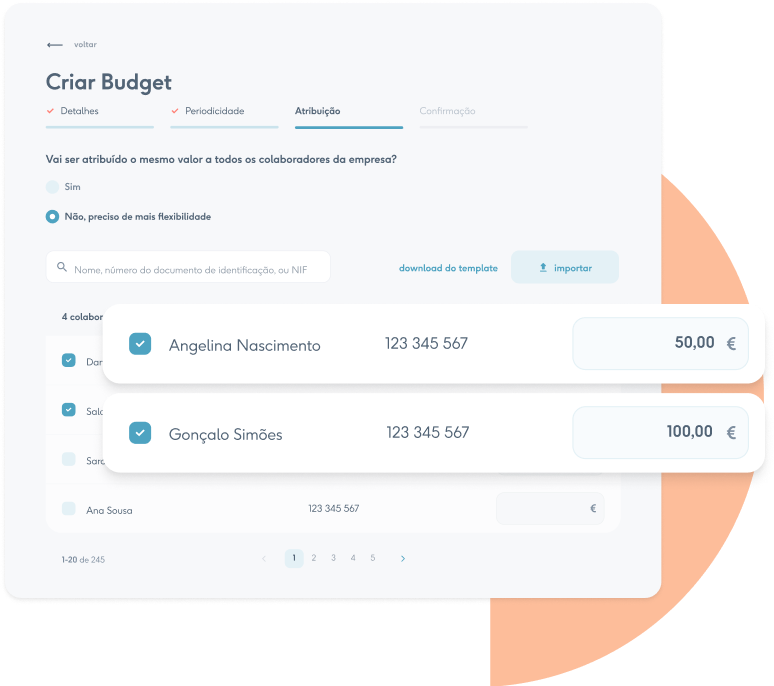
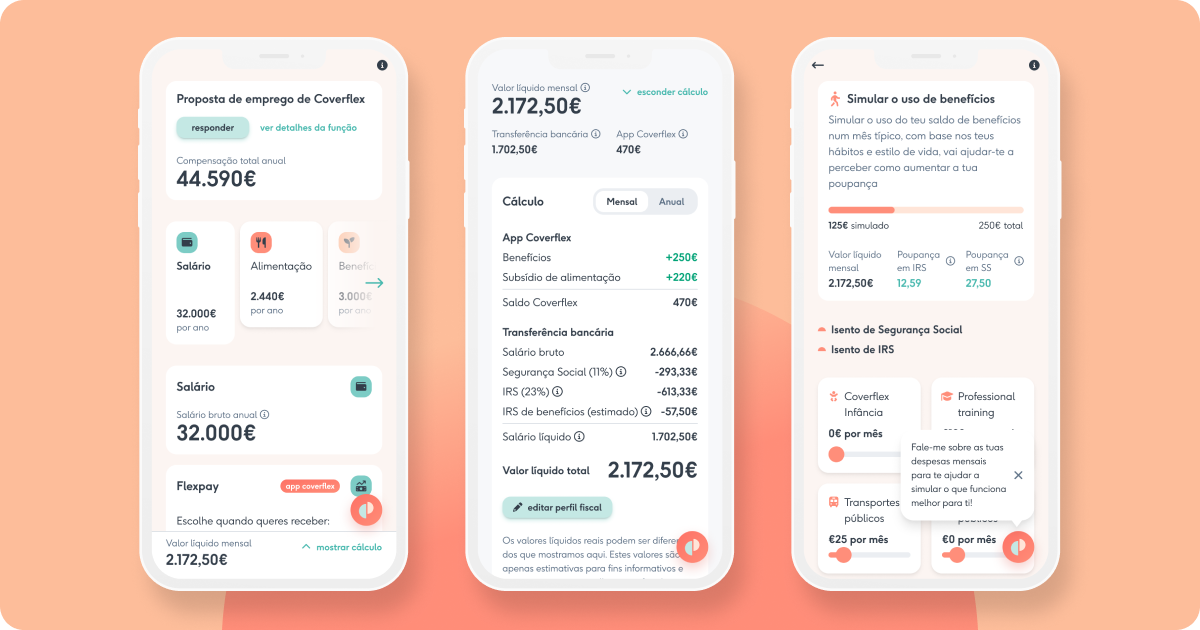
Job Offer is a Coverflex feature that allows teams to create, send, and manage interactive job offers from the Company Dashboard in the Coverflex platform. On the candidate’s side, the offer opens as a guided experience where the full compensation package is presented clearly: salary, benefits, insurance, meal allowance, bonus, equity, and perks, with a net salary simulation tailored to each person’s tax profile.
What problems does it solve
Job Offer addresses four pain points that almost every recruiting team knows:
- Candidates can’t decode the package. Salary, benefits, insurance, and tax advantages interact in ways that aren’t obvious. With the interactive offer and net salary simulation, the real value becomes clear, and the candidate decides based on an informed view, not just a gross number.
- The explanation repeats itself with every hire. Without a structured way to communicate compensation, each new hire receives a different version. With this feature, the offer explains everything consistently.
- The same questions always come up. Gross vs net, what does the insurance covers, what is the package is really worth? An AI assistant answers the candidate’s questions on the spot, reducing back-and-forth.
- Offers end up scattered. Instead of losing versions across email and Drive, everything stays in one place, with the status of each offer visible.
How it works
For the hiring team
- Go to the “Job Offer” section on the Coverflex platform, where you’ll find two views: active offers and templates.
- Create a reusable template in a four-step flow - General information → Compensation → Holidays and perks → Review. In compensation, you define the meal allowance, health insurance, equity, and bonus; in perks, open fields (for example, a laptop or monitor). All fields are optional and only appear to the candidate if they’re filled in by the hiring team.
- Create the offer, starting from a template or from scratch, and add what’s specific to the candidate: name, start date, gross salary, bonus, among other options.
- Review everything on the final screen where it highlights what’s specific to the offer versus what comes from the template.
- Copy the link and share it with the candidate through your usual channel; like email or message.
- Track the status of each offer in the list, for example, when it’s accepted.
After the first template, each subsequent offer will be much faster to prepare.
On the candidate side
- They receive the link and are welcomed by an AI-guided onboarding. No need to create an account.
- They answer a few questions through the assistant, which collects tax data (marital status, region, dependents, IRS Jovem, among others) to personalize the simulation.
- They see the full offer, with the net salary simulation already filled in and based on the candidate’s tax profile.
- They explore the details: monthly net amount, benefits (meal allowance, Coverflex balance), salary, bonus, insurance, equity, perks, contract details, vacation days, among anything else you’ve added to the offer.
- They ask questions to the AI assistant, with full context on that specific offer.
- They download the PDF of the offer to keep.
- They indicate their acceptance right there. (It’s a signal of interest - the final contract is still handled through the usual channels.)